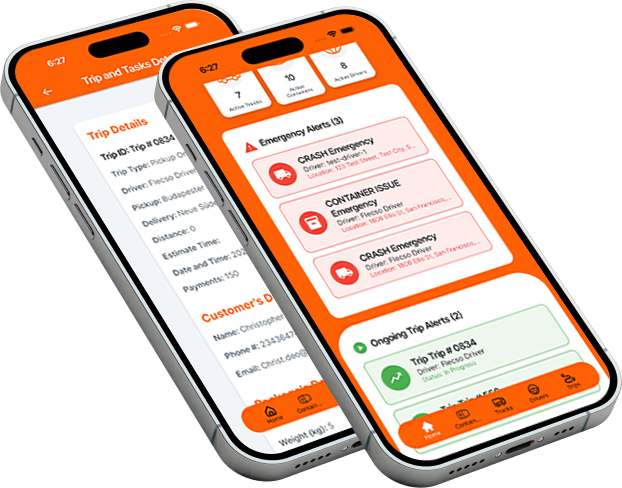

Welcome to Flecso Support
Our Support & Help Center is designed to ensure that both Admins and Drivers can quickly resolve issues, understand workflows, and get the most out of Flecso. Whether you’re managing fleets, assigning trips, or completing deliveries, we provide clear guidance every step of the way.
1. Getting Started
Admins
- How to register and set up your account.
- Adding trucks, drivers, and containers.
- Assigning trips and monitoring live status.
- Generating reports and analytics.
Drivers
- Account registration and verification process.
- Logging in via mobile app (OTP or password).
- Navigating the driver dashboard.
- Scanning QR codes to start trips.
2. Troubleshooting
Common Issues for Admins
- Unable to assign a driver or truck.
- GPS tracking not updating in real-time.
- Reports not generating correctly.
- Dashboard errors or slow loading.
Common Issues for Drivers
- QR code scan failing or not recognized.
- Navigation or GPS issues.
- Unable to submit incident reports.
- Chat or messaging not working.
3. Step-by-Step Tutorials
- Admin Dashboard Walkthrough: Overview, metrics, and actionable insights.
- Trip Assignment & Tracking: Creating trips, assigning drivers, live monitoring.
- Container QR Verification: Generating QR codes, scanning, and verifying trips.
- Incident Reporting: Uploading photos, videos, and submitting delay logs.
- Driver App Navigation: Real-time GPS guidance and ETA tracking.
4. FAQ & Knowledge Base
Our FAQ section covers:
- Account registration and security.
- Fleet, driver, and container management.
- Trip tracking, proof of delivery, and status updates.
- Notifications, alerts, and reporting.
- Pricing, billing, and subscription questions.
5. Contact Support
If your issue isn’t resolved through tutorials or FAQs, you can contact our support team directly:
Email: support@flecso.com