
Frequently Asked Questions
Our Flecso FAQ page addresses common questions about the platform, covering both Admin and Driver operations. This helps logistics teams, fleet operators, and enterprise managers quickly understand how Flecso works, boosting transparency and confidence.
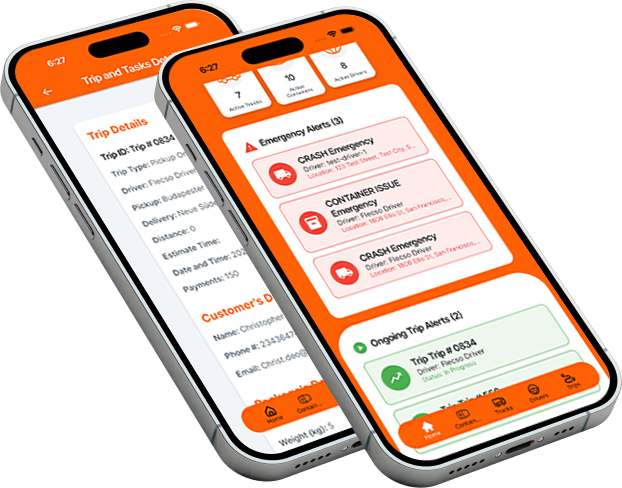
Flecso is a mobile-first Container & Trucking Management System designed to digitize logistics operations. It connects admins and drivers in real-time, enabling QR-based container verification, GPS tracking, trip management, and incident reporting.
Flecso is built for:
- Logistics & transportation companies.
- Fleet operators and trucking businesses.
- 3PL providers and supply chain managers.
- Enterprise logistics teams.
- Admins and field drivers who manage or operate fleets.
Yes. Flecso supports small fleets, mid-size operations, and enterprise-level logistics. You can scale by adding trucks, drivers, containers, and advanced features without disruption.
Admins can:
- Manage trucks, drivers, and containers.
- Assign trips and track live GPS updates.
- Receive incident reports and alerts.
- Analyze performance metrics and generate reports.
- Control role-based access for multiple admin users.
Every truck and driver update is sent via GPS every 30 seconds. The dashboard displays:
- Current location and route.
- Trip progress and ETA.
- Driver status (driving, idle, delayed).
- Incident or SOS alerts.
Absolutely. Admins can export reports in PDF or CSV format, covering:
- Driver performance.
- Fleet utilization.
- Delivery efficiency.
- Incident history.
Drivers start a trip by scanning the assigned container’s QR code in the Flecso app. The system verifies:
- Driver authorization.
- Correct truck and container assignment.
- Trip status (available, in progress).
Drivers get in-app Google Maps navigation with:
- Turn-by-turn directions.
- Real-time route updates.
- ETA and distance remaining.
- Automatic GPS sync with admin dashboard.
Drivers can submit images, videos, voice notes, or text in-app. Each report is:
- Timestamped.
- GPS-verified.
- Sent instantly to admin for action.
Drivers tap “End Trip” after delivery. The system logs:
- Final GPS location.
- Delivery status (Delivered).
- Optional proof of delivery (photo or signed receipt).
Admins can audit or manually mark trips complete if needed.
Yes. Flecso implements:
- End-to-end encryption.
- Role-based access.
- Secure cloud storage.
- Compliance with privacy standards.
- Admins with proper permissions see operational data.
- Drivers see their assigned trips and container details.
- Sensitive information is protected by role-based access.
Users can request account deactivation or data deletion, subject to retention for legal or audit purposes. Contact Flecso support to initiate this process.
- Use the in-app support chat.
- Contact our support team via email or phone.
- Request a live demo or troubleshooting session.